Create a worker profile
Add the skills and work information that help a hirer understand what you can do.

For workers
Rush Gigs helps you explore work that users have posted nearby, review the details, apply, and communicate directly. Opportunities can include quick jobs, one-time gigs, temporary work, and other clearly described local tasks.
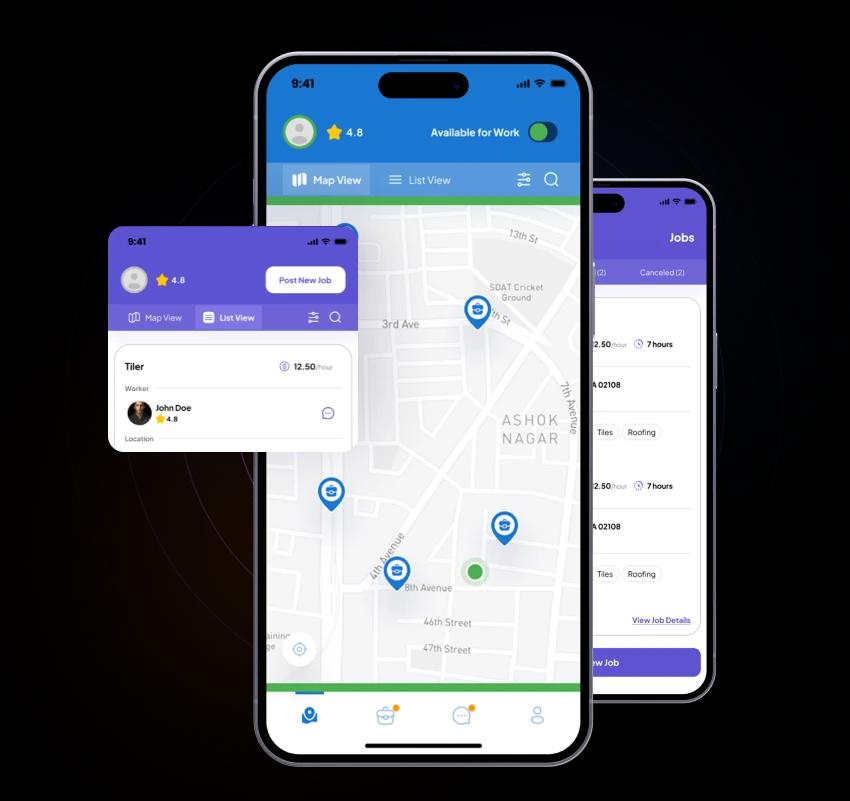
A simple worker workflow
Rush Gigs makes it easy to discover local posts, understand the opportunity, and start a direct conversation with the hirer.
Add the skills and work information that help a hirer understand what you can do.
Use the app to explore work that users have posted in your area.
Review the details, apply, and use chat to confirm the task, schedule, location, and compensation before committing.
Before you apply
Look for a specific scope, not only a broad title. Ask what is included, what is excluded, and what a completed job means.
Confirm start time, estimated duration, approximate location, access instructions, travel, and any schedule flexibility.
Confirm the amount, whether it is hourly or fixed, when it is due, and how the hirer will pay before work starts.
Make sure your experience matches the work and determine what clothing, tools, vehicle, or protective equipment is required.
Ask about the working conditions, physical demands, on-site contact, and anything else that helps you arrive prepared.
Workers and hirers currently agree on compensation and handle payment directly.
Kinds of work
“Find jobs,” “find gigs,” and “find work” can describe very different tasks. Use these work-type guides to understand the questions that matter before you apply.
Hands-on help for clearly described tasks that do not fit a more specific work type.
Explore general laborHelp packing, carrying, loading, unloading, or arranging items during a move.
Explore moving helpClearly scoped residential, office, turnover, event, or project cleanup.
Explore cleaningSeasonal outdoor help for routine, clearly described property tasks.
Explore yard workShort-term support for setup, guest flow, service, cleanup, and breakdown.
Explore event staffFind warehouse jobs or connect with people for clearly described, short-term warehouse tasks and shifts.
Explore warehouse jobs and workersTemporary support for clearly defined front- or back-of-house tasks.
Explore restaurant supportProject support for workers whose experience matches a clearly defined construction task.
Explore construction laborThese are only a few examples, not a complete list. Rush Gigs can include many more jobs, gigs, tasks, types of help, and worker skills.
Ready for short-notice work?
Look at the start time, location, task, compensation, and tools. If the opportunity fits, apply and use chat to coordinate the next step directly.
Worker questions
Yes. Use the mobile app to explore work posted by users near you, review the details, and apply to opportunities that fit.
Not currently. Workers and hirers should agree on compensation, timing, and payment method before work begins and handle payment directly.
Rush Gigs is available for iPhone through the Apple App Store and for Android through Google Play.
You must be at least 18 years old and legally able to perform or arrange the work involved in your jurisdiction.
Find work in the app
Download Rush Gigs for iPhone or Android and explore local work in the app.

