Homeowners and renters
Find extra hands for cleaning, yard work, organizing, furniture moves, seasonal work, and clearly scoped home projects.

Free job posting for local help
Whether you are managing a home, a move, a jobsite, an event, or a busy business, Rush Gigs helps you describe the work, reach interested workers, review profiles, and chat directly.
No Rush Gigs listing fee. You set the offered compensation and arrange payment directly with the worker you choose.
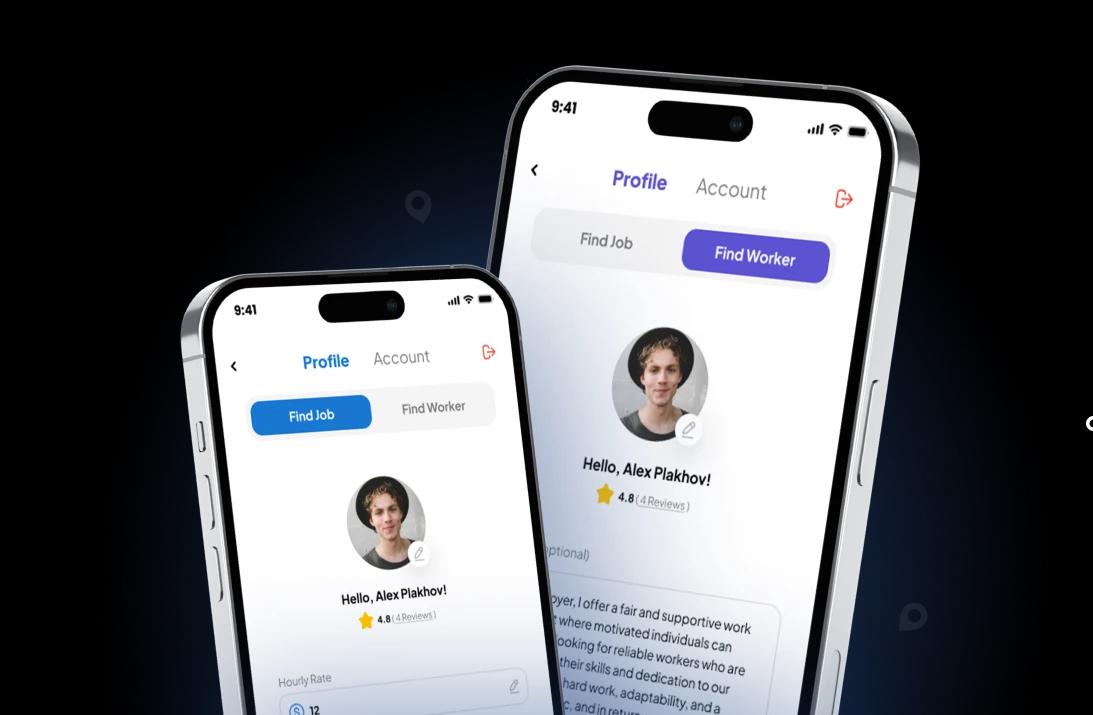
Built for people who need help
You do not need to be a large company. Post a specific task, project, or shift whenever you need dependable communication and a direct way to connect with interested local workers.
Find extra hands for cleaning, yard work, organizing, furniture moves, seasonal work, and clearly scoped home projects.
Post packing, unpacking, loading, unloading, storage-unit, or labor-only moving help with the access details workers need.
Add jobsite support, material staging, property cleanup, turnover help, or other defined project work when your crew needs support.
Look for people to help with setup, guest flow, service support, cleanup, breakdown, and schedule-specific event roles.
Post warehouse, inventory, restaurant, office, cleanup, and short-term business support without using a staffing agency.
Turn a well-defined project, busy period, room reset, sorting task, setup, or cleanup need into a clear local job post.
A practical way to hire locally
Rush Gigs keeps job posting, worker interest, user-provided profiles, and direct chat together. You decide what to offer, what questions to ask, and whom you want to contact.
Rush Gigs is not a staffing agency or employer. It is a direct marketplace where workers and hirers find one another, communicate, and decide whether to work together.
| What you get | How it helps |
|---|---|
| Free posting | No Rush Gigs listing fee to create and publish a job. |
| Clear choices | Set the task, schedule, location, pay, and workers needed. |
| Profile review | Review the skills and work information users provide. |
| Direct chat | Ask questions and confirm expectations before the work. |
A direct hiring workflow
A specific post helps a worker decide whether the opportunity fits their skills, schedule, and location. It also gives both sides a shared starting point for the conversation in chat.
Post the task, required skills, schedule, approximate location, and compensation clearly.
Use the information users provide in their profiles and ask follow-up questions directly.
Agree on scope, timing, location, payment, and any tools or safety requirements before the work begins.
Find the right kind of help
Different jobs call for different skills, tools, schedules, and site details. These categories can help you shape a post that gives workers a useful picture of the opportunity.
Hands-on help for clearly described tasks that do not fit a more specific work type.
Explore general laborHelp packing, carrying, loading, unloading, or arranging items during a move.
Explore moving helpClearly scoped residential, office, turnover, event, or project cleanup.
Explore cleaningSeasonal outdoor help for routine, clearly described property tasks.
Explore yard workShort-term support for setup, guest flow, service, cleanup, and breakdown.
Explore event staffFind warehouse jobs or connect with people for clearly described, short-term warehouse tasks and shifts.
Explore warehouse jobs and workersTemporary support for clearly defined front- or back-of-house tasks.
Explore restaurant supportProject support for workers whose experience matches a clearly defined construction task.
Explore construction laborThese are only a few examples, not a complete list. Rush Gigs can include many more jobs, gigs, tasks, types of help, and worker skills.
Write a useful job post
Name the job, list the tasks, describe the desired result, and make clear what is included.
State the date, start time, estimated duration, and any schedule flexibility.
State the offered amount, hourly or fixed basis, expected payment timing, and payment method before anyone agrees.
Share an appropriate approximate location in the post, then confirm private access details only with the person involved.
Share the experience needed, physical expectations, tools, and anything you will provide.
Name the point of contact and use chat to keep everyone aligned before the work begins.
Posting a job on Rush Gigs is currently free. Rush Gigs does not charge a listing fee to create and publish a job post.
See the skills and work information people share, then focus on workers who look right for the task.
In-app chat gives workers and hirers a direct place to ask questions and coordinate work.
Workers and hirers currently agree on compensation and handle payment directly.
Hirer questions
Yes. Post a task in the app, review interested workers, and decide whom you want to contact about the work.
Posting a job on Rush Gigs is currently free. Rush Gigs does not charge a listing fee to create and publish a job post. You still set the offered compensation and arrange payment directly with the worker you choose.
No. Rush Gigs is not a staffing agency or employer. It is a direct marketplace where workers and hirers find one another, communicate, and decide whether to work together.
Not currently. Workers and hirers should agree on compensation, timing, and payment method before work begins and handle payment directly.
No. Rush Gigs does not prescreen or run a background check on every user. Profiles contain user-provided information, and in-app chat gives both sides a place to ask questions.
Rush Gigs is available for iPhone through the Apple App Store and for Android through Google Play.
Free to post in the app
Download Rush Gigs, describe the work, set the schedule and offered pay, and start connecting with interested workers. Rush Gigs does not currently charge a job-listing fee.

